Everything your agency runs on, in one place.
Call-outs get covered without your phone calls
Evvidence asks the client's preferred caregivers first, then everyone else who is free and qualified. You set the rules, and you can approve every swap yourself.
Set the schedule once
Repeating visits stay on the schedule up to 90 days ahead. Caregivers see their week on their phone and get a reminder before every shift.
The right caregiver for each client
Suggestions by skills, language, availability, and who has cared for the client before.
Know a visit is late while it is still happening
An email and a dashboard flag when a caregiver has not checked in 15 minutes after the start.
A record of every visit
Check-in and check-out at the client's door, with the location recorded. It works with no signal, and a correction sits beside the original.
Families see what you see
The family portal shows who came, when, and the tasks done, with no phone call needed to confirm a visit.
Hours ready for payroll
Export to QuickBooks, Gusto, or ADP. Payroll stays in the system you already use.
Invoices drafted from the visits that happened
Drafted on the schedule you pick, sent by email and in the family portal, with reminders for unpaid ones.
| Monday, 4 hours | $152.00 |
| Wednesday, 4 hours | $152.00 |
| Thursday, 4 hours | $152.00 |
| Friday, 4 hours | $152.00 |
| This week | $608.00 |
What Evvidence does with every visit.
- Scheduled once
- Covered when someone calls out
- Checked in at the door
- Finished and kept on the record
- Seen by the family
- On the invoice
Try it yourself. No signup.
Open the demo, sign in to the caregiver app, and check in to a visit.
Open the demo
You land in a sample agency as the office, with clients, caregivers, and a week of visits.
Get the caregiver app
The dashboard gives you a caregiver's phone number and PIN, and a link to the iPhone app.
Check in and check out
Sign in as the caregiver, check in to a visit, and check out. Then see the finished visit from the office.
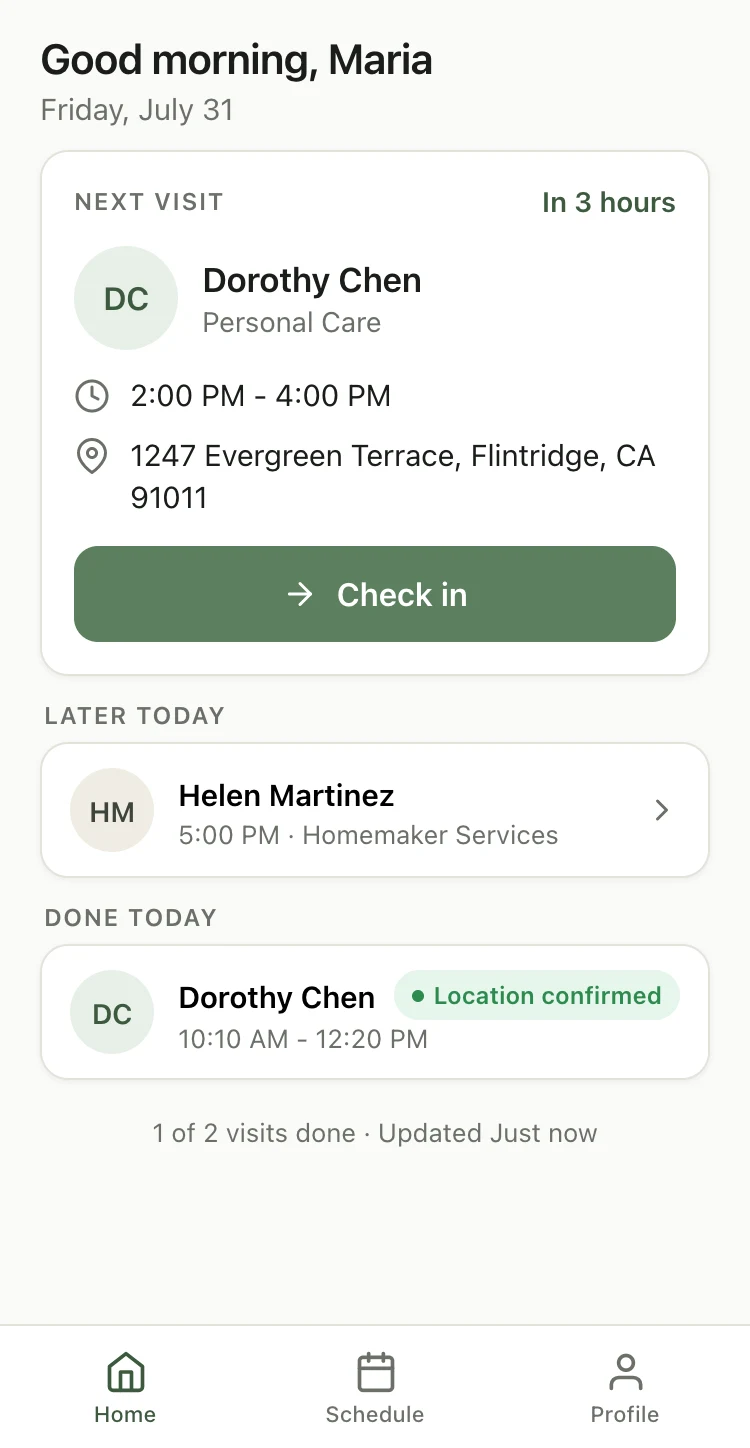
Today's visits
Caregivers open the app to their day: the next visit, who it is with, and where.
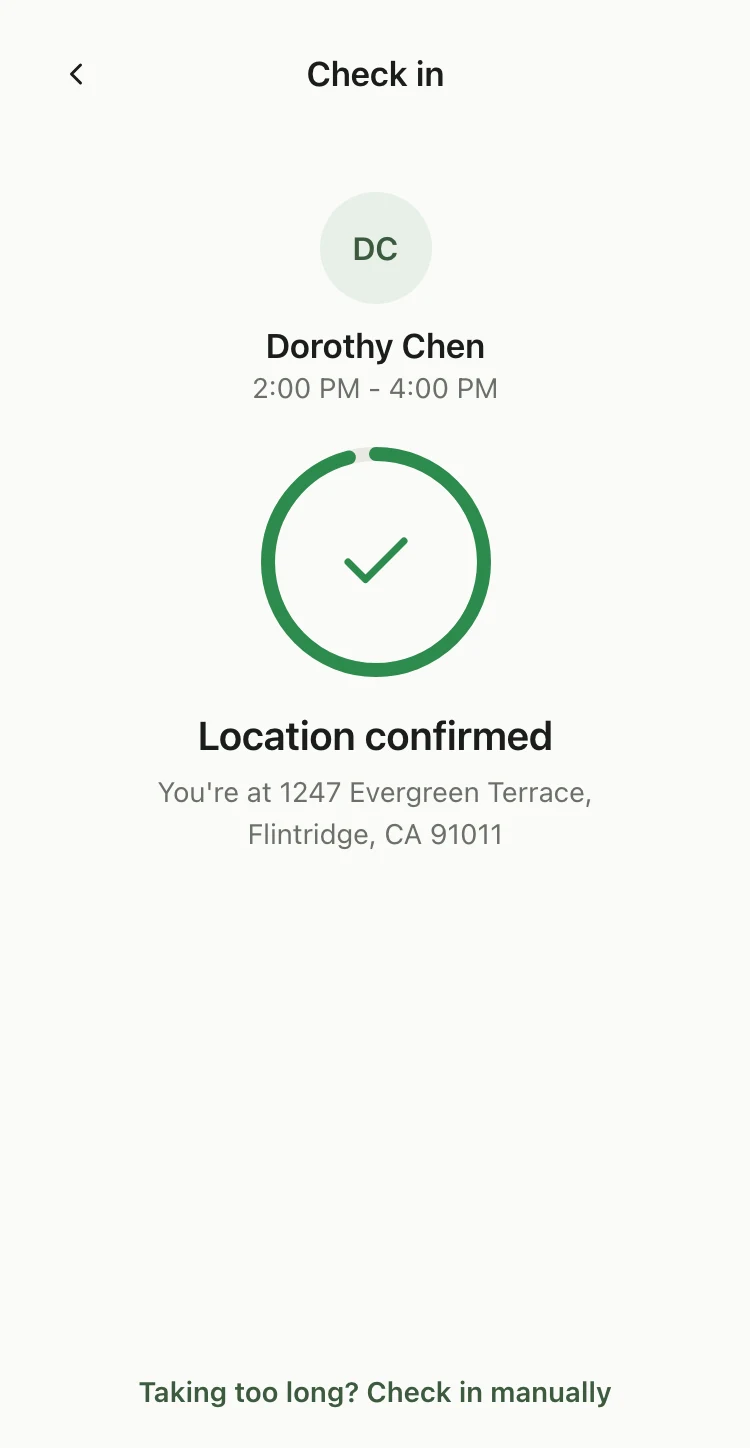
Check in at the door
The phone's location is checked against the client's address when the caregiver checks in.
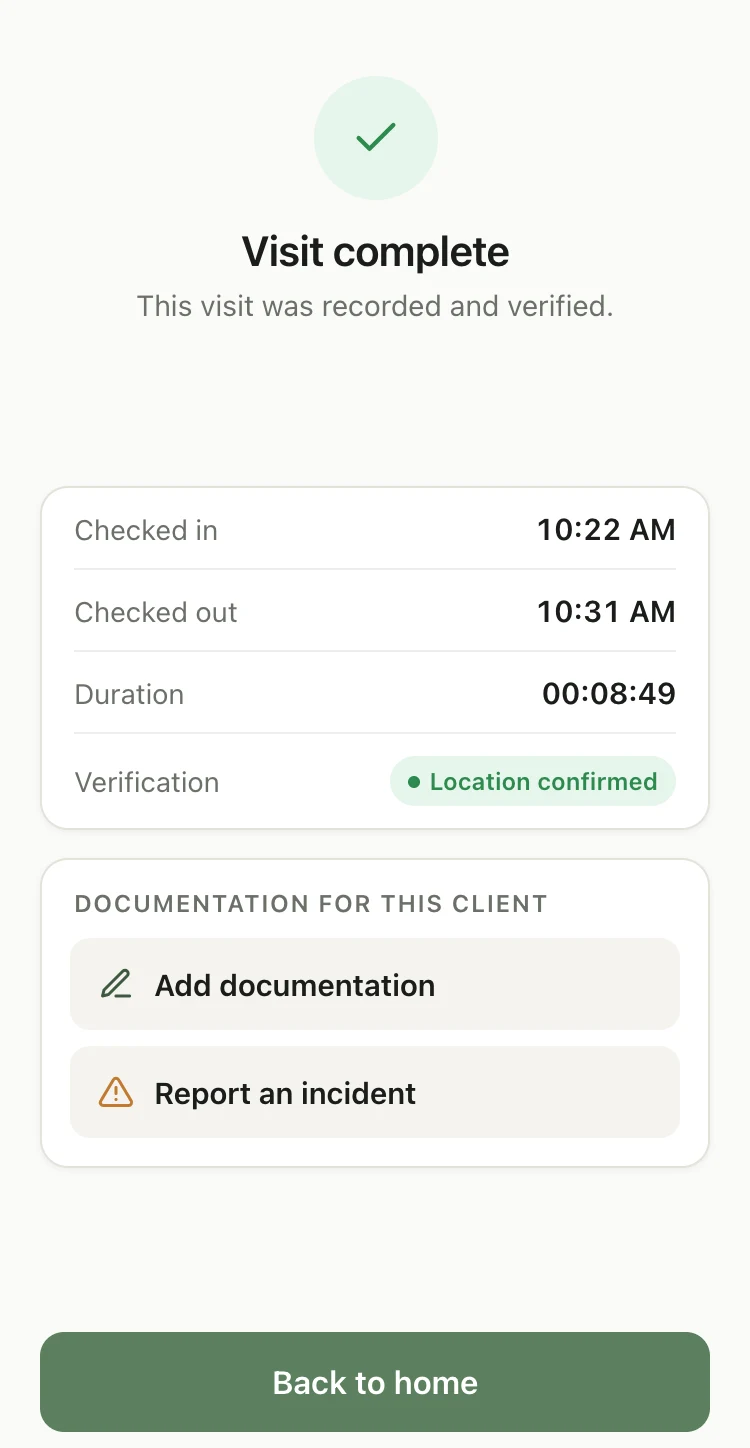
A finished visit, verified
Time in, time out, and the location check are recorded and locked when the visit ends.
One monthly price for everything.
Priced by active clients. Every caregiver you employ is included, and every plan has every feature.
Every plan includes
- Scheduling, including recurring visits
- Call-out cover within your own assignment rules
- iPhone app for caregivers
- Check-in and check-out at the client's door, even offline (requires a device screen lock)
- Email alerts for a late or missed visit, while it is still happening
- Care plans and task checklists
- Family portal: the family sees the same record
- Client invoices drafted from finished visits
- Unpaid-invoice tracking with email reminders
- Payroll exports to QuickBooks, Gusto, or ADP
- Reports and a records bundle you can download
More than 75 active clients: talk to us. No setup fee, no implementation charge, no per-seat maths. Fourteen-day trial on any plan.
Questions owners ask
Will my caregivers use it?
Their week, their next visit, and any open shift are on one screen of the iPhone app. They check in and out at the client's door, and it works with no signal as long as the phone has a screen lock set. You can try the caregiver app yourself in the demo.
Does Evvidence run payroll?
No. Export hours to QuickBooks, Gusto, or ADP, then run payroll in the system you already use.
How do families pay?
They get the invoice by email and in the family portal, and they pay you directly. You record each payment on the invoice.
What if a visit is recorded wrong?
You correct it and give a reason. The correction sits beside the original, showing who made it and when.
What happens when a caregiver calls out?
Evvidence asks the client's preferred caregivers first, then everyone else who is free and qualified. The first to say yes to the whole visit gets it, once the checks pass. You can change one setting to approve every swap yourself.
How do I find out about a late or missed visit?
You get an email and a flag on your dashboard when a caregiver has not checked in 15 minutes after the start time. You can change the 15 minutes.
Do invoices send themselves?
Evvidence drafts each client's invoice on the schedule you pick: weekly, every two weeks, or monthly. You review it and send it. You can switch on automatic sending for any client.
How do caregivers hear about an open visit?
They get a notification in the caregiver app and answer from their phone.
Can families buy Evvidence directly?
No. The agency subscribes. Families pay the agency's invoices and can view the same visit record in the family portal.